PDF Signer & Scanner
Transform your iPhone or iPad into a powerful digital signing studio
With PDF Signer & Scanner, you can scan, edit, sign, and share documents anywhere on IPad or IPhone — whether it’s contracts, invoices, forms, or agreements.
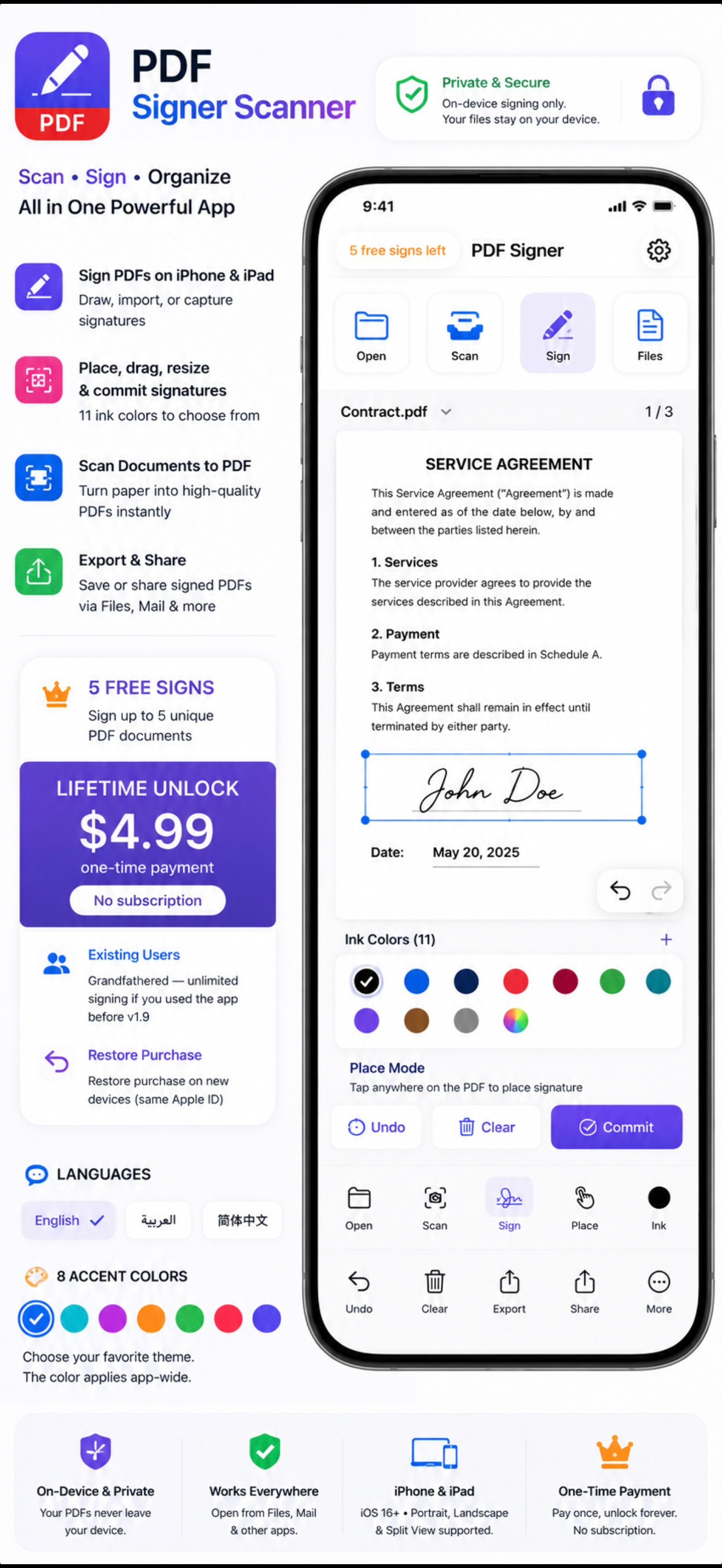
See PDF Signer & Scanner in Action
Click on any screenshot to view the full resolution interface in detail.
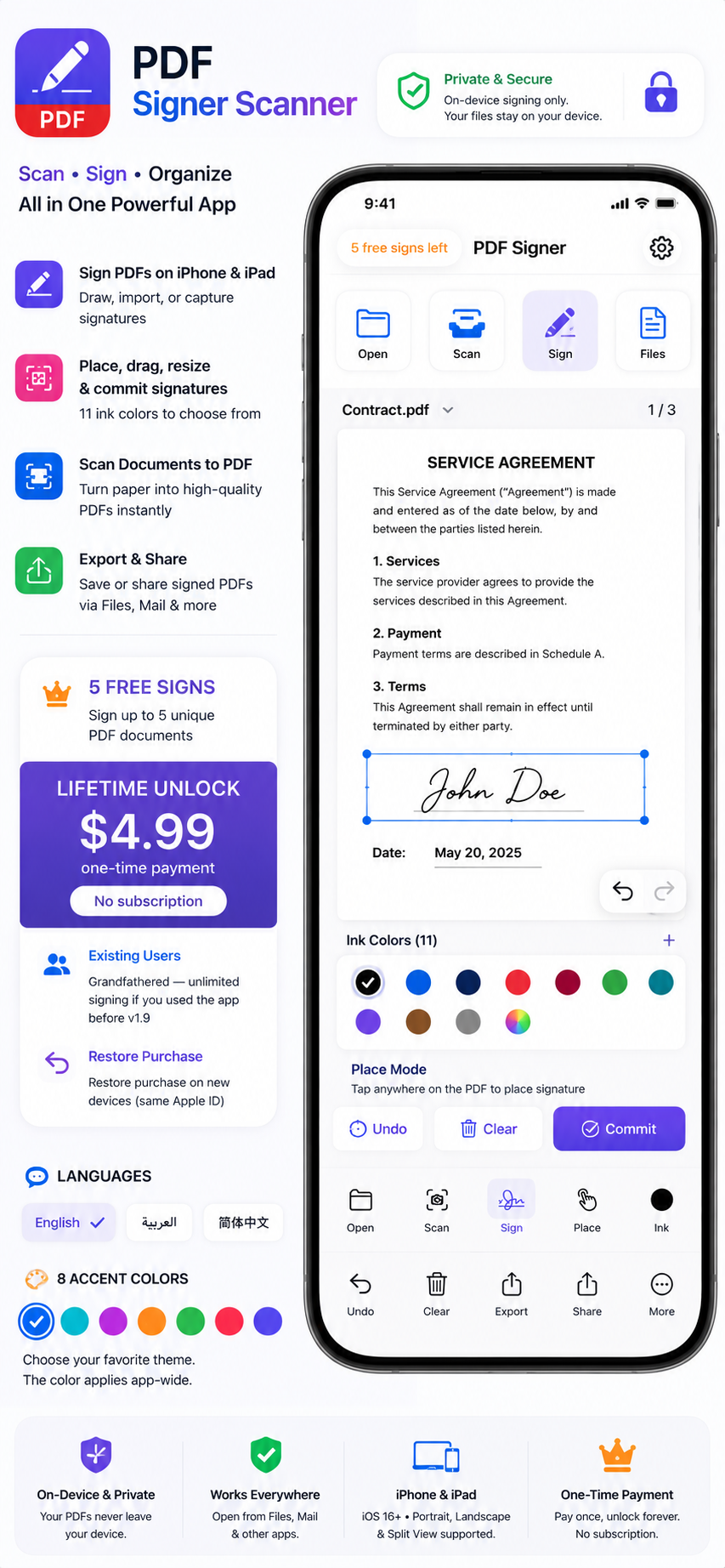

About PDF Signer & Scanner
Key highlights
PDF signing
Open PDFs from Files or other apps
Place signatures anywhere on the page
Drag and resize signatures before committing
11 ink colors (black, blue, navy, red, burgundy, green, teal, purple, brown, gray, etc.)
Place Mode — tap on the PDF to position your signature
Undo and Clear placed signatures
Commit — permanently embed signatures into the PDF
Export — share or save the signed PDF
Scan — scan documents with the camera and turn them into PDFs
Signatures
Draw — sign with finger or Apple Pencil
Import from Photos — pick a signature image from your gallery
Capture with Camera — photograph a signature on paper
Auto crop & clean — crop screen with pinch zoom, Auto Fit, Smaller/Larger controls
Save multiple signatures — reuse anytime
Optional signature names
Design & languages
iPhone & iPad support (iOS 16+)
Adaptive layout — compact toolbar on iPhone, side panel on iPad
Works in portrait, landscape, and Split View
Languages: English, Arabic (RTL), Chinese (Simplified), or follow system
8 accent colors — blue, teal, purple, orange, green, red, pink, indigo
Settings via gear icon (top-right)
Privacy & convenience
On-device signing — PDFs stay on your device
Open PDFs from Mail, Files, and other apps
Share signed PDFs via the system share sheet
Free-sign counter shown in the toolbar (“X free signs left”)
What this app helps you do
Privacy First
Native iOS Experience
Better color and transparency control
Fast and Simple Workflow
Better color and transparency control
Optimized for large PDFs and smoother performance
Enhanced signature movement and resizing
Improved scanner edge detection and auto-cropping
Why choose PDF Signer & Scanner
Because it’s simple, secure, and made for professionals. Whether you’re a business owner, freelancer, or student — signing and scanning PDFs has never been easier. Say goodbye to printers and hello to productivity.
Current Version & Notes
Initial public listing on TeaManjur Apps.
Version 1.0
Jun 30, 2026
Initial public listing on TeaManjur Apps.